Mosaic AI: Intelligence Gathering on Autopilot
Stop copy-pasting from browser tabs into spreadsheets. Mosaic AI builds automated research pipelines on a visual canvas with AI analysis and Slack delivery.
Research is broken. Whether you're tracking competitors, monitoring markets, or gathering OSINT - the workflow looks the same: open tabs, copy text, paste into a doc, repeat. Every. Single. Day.
At Azimuth PRO, we got tired of manual intelligence gathering. Our own products - Grid Sync, Guardian AI, AI Agents - all require ongoing awareness of what's happening in their respective domains. Doing that by hand doesn't scale.
So we built Mosaic AI. An automated intelligence platform that does the research for you.
The Problem: Tab-Hopping as a Job
Manual research has compounding costs:
It's slow. By the time you've checked all your sources, the first ones are already stale.
It's fragmented. Data lives in browser tabs, Slack threads, bookmarks, and someone's head. There's no single view.
It's not analyzable. Raw data without synthesis is just noise. You need an AI layer to extract signal - and you need it running continuously, not when you remember to prompt ChatGPT.
Enter Mosaic AI
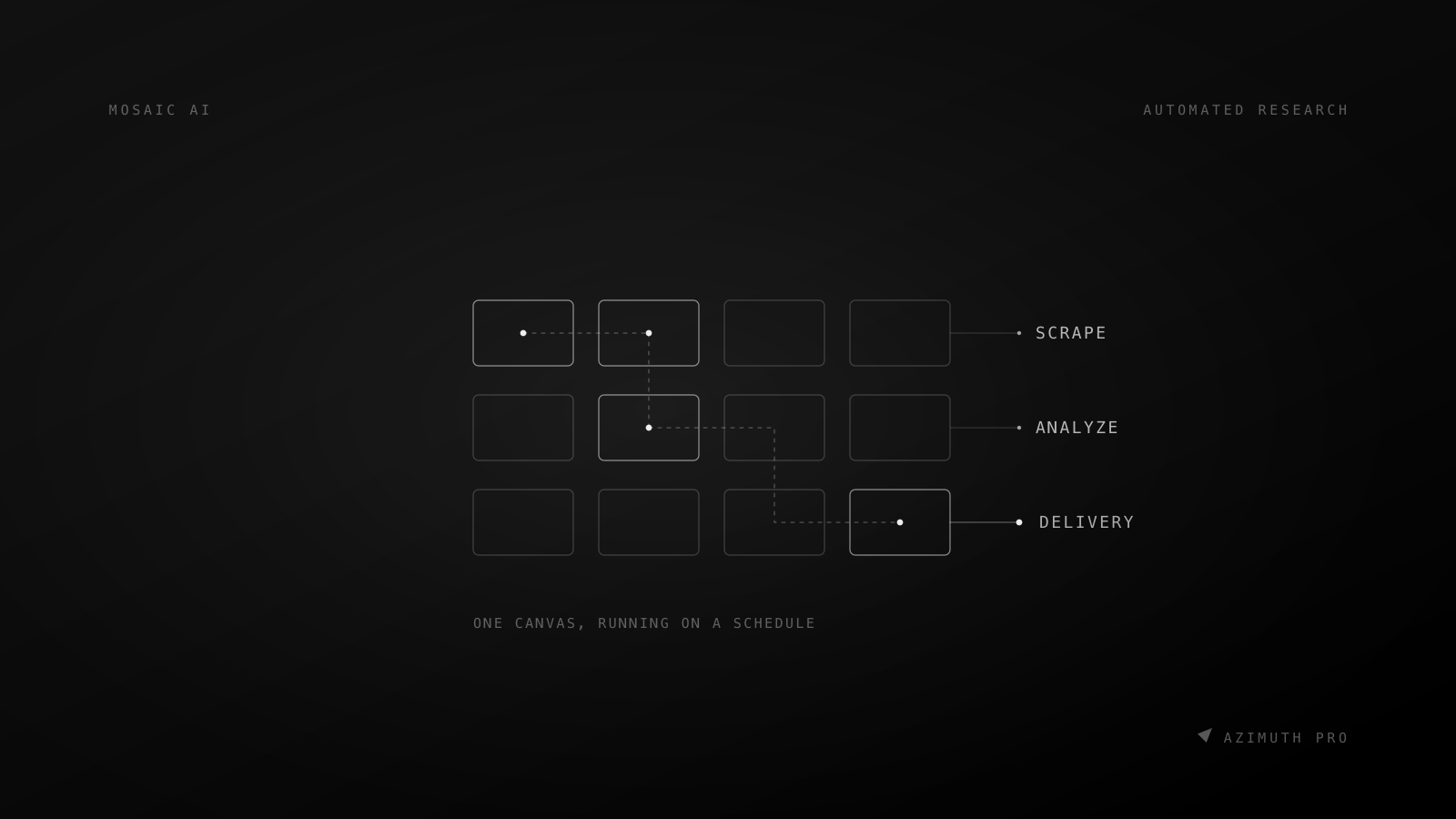
Mosaic AI gives you a visual canvas where you build intelligence pipelines out of connected tiles. Think of it as a programmable research board that runs itself.
5 Tile Types, One Canvas
- URL Reader - Scrapes and extracts content from any web page. Powered by Firecrawl for reliable rendering of JavaScript-heavy sites.
- Web Search - Runs AI-powered web searches via Tavily. Get structured results, not ten blue links.
- Analyzer - The brain. Takes input from other tiles and processes it through Google Gemini Flash. Text summaries or structured JSON output with optional schema validation.
- Slack Reader - Pulls messages from Slack channels via OAuth. Monitor conversations without context-switching.
- Catalog - Persistent entity tracking. Maintains a living database of items with automatic diff detection and event history over the last 30 days.
Connections Make It Powerful
Tiles don't live in isolation. Connect them into pipelines - when an upstream tile finishes, downstream tiles auto-trigger with fresh data. A URL Reader feeds an Analyzer, which feeds a Catalog, which notifies you on Slack. Set it up once, and it runs on schedule.
Scheduling That Actually Works
Run your mosaics manually, hourly, or on custom cron schedules - specific hours, specific days, timezone-aware. No more "I forgot to check."
Key Capabilities
Skills Library - Every tile type comes with built-in skill templates. URL Reader has scraping presets, Analyzer has analysis frameworks. Use them as-is or create your own custom skills for repeatable workflows.
AI Prompt Editor - Describe what you want in plain language. Mosaic AI generates a production-ready prompt for your tiles. No prompt engineering required.
Slack Integration - Goes beyond reading. Deliver results directly to channels, respond to bot mentions with reactions, and support multiple Slack workspaces from a single account.
Webhooks - Get notified when mosaics start, complete, or fail. Built-in retry logic and full delivery history for reliable event-driven workflows.
REST API - Every mosaic gets its own API key. Trigger tile execution programmatically with SSE streaming for real-time results.
Team Sharing - Role-based access with owner, admin, and member roles. Invite collaborators by email and share intelligence workflows across your organization.
Memory Mode - Tiles retain source-level historical context from the last 30 days. Your AI analysis improves because it sees what changed, not just what exists now.
How It Works
- Create a Mosaic - Open a blank canvas. Drag tiles onto the workspace.
- Configure Tiles - Point URL Readers at your sources, set up search queries, write Analyzer prompts (or let AI write them for you).
- Connect the Pipeline - Link tiles together. Data flows from source tiles through analysis tiles to output.
- Set a Schedule - Pick your cadence. Hourly monitoring? Weekly digest? Custom cron for business hours only? Done.
- Get Results - View on canvas, receive via Slack, consume through webhooks, or pull from the REST API.
Built for Teams, Not Just Power Users
Mosaic AI supports multi-language output (English, Polish, Spanish, Italian, German) and per-user rate limiting to keep shared environments fair. The visual canvas makes it accessible to non-technical team members, while the API and webhooks satisfy engineering requirements.
Get Started
Stop tab-hopping. Build a mosaic and let the platform do the research.
Visit Mosaic AI - Start building your first intelligence workspace